

For many business owners, the idea of a POS system is simple:
A customer buys something, the cashier enters the sale, payment is received, and a receipt is printed.
Done.
But if that's all your POS does, you're only using a small part of what modern business software can offer.
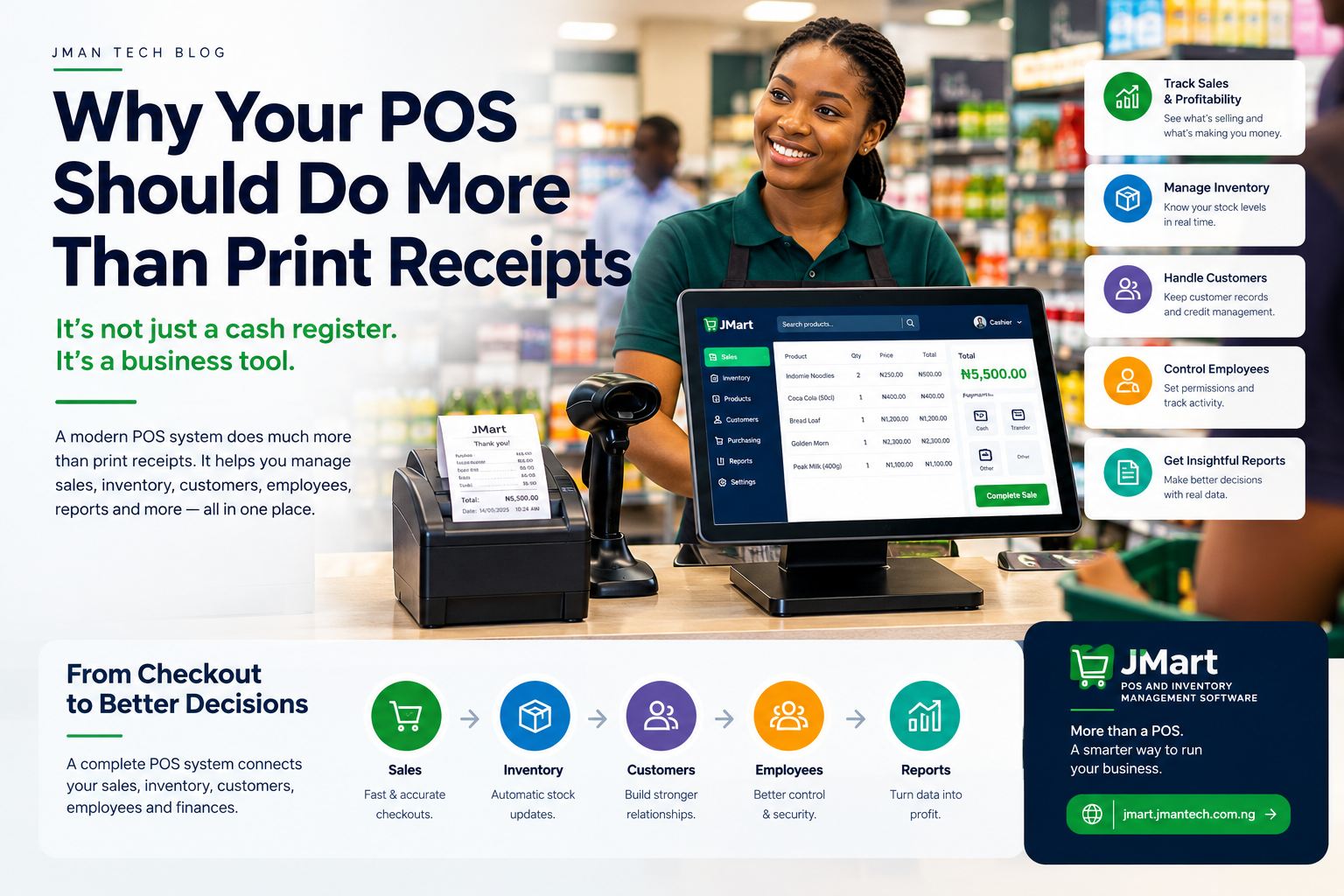
A modern POS system can do much more than process transactions. It can help you manage inventory, monitor sales, understand profitability, manage customers, control employees, track business activity, and make better decisions.
In other words, your POS shouldn't just tell you what was sold.
It should help you understand what is happening in your business.
Let's look at why.
The earliest idea behind a POS system was essentially an improved cash register.
A cashier enters or scans products.
The system calculates the total.
The customer pays.
A receipt is produced.
This is useful, but it leaves a major question unanswered:
What happens to all the information generated by that transaction?
Every sale contains useful business information.
It tells you:
If your POS only prints the receipt and stores the transaction somewhere you never analyze, you're leaving valuable information unused.
Knowing your total sales for the day is useful.
Knowing why your sales look the way they do is even more useful.
A good POS system should allow you to examine your sales data.
For example, you should be able to ask:
Which products are selling the most?
Which products are barely moving?
What are my busiest sales periods?
Which cashier processed the most transactions?
How much did we sell this week compared with last week?
Which product categories generate the most revenue?
These questions turn a POS from a transaction tool into a management tool.
Instead of simply knowing that your business made ₦2 million this week, you can begin to understand where that money came from.
One of the biggest advantages of connecting sales with inventory is automation.
Imagine your store has 100 units of a product.
A customer buys 4.
Your POS should automatically update the inventory:
100 → 96
Now imagine this happening hundreds or thousands of times every week.
Without an integrated system, employees may have to manually update spreadsheets, notebooks, or separate inventory records.
That creates opportunities for mistakes.
A properly integrated POS can keep sales and inventory connected.
Sale → Stock decreases
Stock received → Stock increases
Return → Stock adjusts
Stock adjustment → Inventory history records the change
This gives you a much clearer picture of what you actually have.
Imagine one of your best-selling products is down to five units.
You don't want to discover the problem when the last customer asks for it.
A modern POS and inventory system can monitor stock levels and provide low-stock alerts.
For example:
Low Stock Alert: Indomie Noodles — 12 units remaining.
The manager can then review the product and decide whether it is time to reorder.
This changes inventory management from a reactive process into a more proactive one.
Instead of:
"We're out of stock. We need to order."
You can work toward:
"We're approaching our reorder point. Let's replenish before we run out."
This is a major distinction.
A business can make millions in sales and still have disappointing profits.
Why?
Because revenue isn't profit.
Suppose you sell a product for ₦10,000.
If that product cost your business ₦8,500, your gross profit on the sale is ₦1,500 before other expenses.
If your POS tracks cost prices alongside selling prices, you can begin to understand your margins at the product and business level.
You can then investigate questions such as:
This is much more valuable than simply knowing how much money passed through the cash register.
Customers are another important part of a business.
Depending on the type of business, a modern POS can help maintain customer records and provide useful information about purchasing activity.
For example, businesses may need to manage:
This can be especially important for wholesalers and businesses that sell products on credit.
Instead of trying to remember who owes what, the system can maintain structured customer records.
That gives the business better visibility into its customer relationships and outstanding receivables.
If several employees use your POS, everyone shouldn't necessarily have the same level of access.
A cashier may need permission to process sales.
A manager may need permission to approve discounts or perform stock adjustments.
An owner may need access to financial reports and system settings.
This is where role-based permissions become important.
A modern POS can allow different users to have different capabilities.
It can also maintain an audit trail showing important actions performed within the system.
For example:
Product price changed
User: Manager
Date: September 17
Time: 10:42 AM
This gives business owners greater visibility and accountability.
Business records aren't only about knowing what happened.
Sometimes you need to know who did it and when.
Imagine that your inventory records show that 20 units of a product disappeared.
Or a transaction was modified.
Or a refund was processed.
Or a product price suddenly changed.
An audit trail can help you investigate.
Depending on the system, important activities can be recorded with information such as:
This doesn't eliminate mistakes or fraud, but it makes unusual activity much easier to investigate.
Reports are where your transaction data starts becoming business intelligence.
Instead of looking at individual receipts, management can view summarized information.
Useful reports may include:
Understand how much the business sold during a particular period.
Understand revenue, costs, and gross margins.
See current stock, stock movement, low-stock items, and other inventory information.
Identify products that are selling quickly or slowly.
Understand what has been purchased from suppliers.
Review transactions and sales activity by employee.
Understand customer activity and outstanding credit where applicable.
The exact reports a business needs will depend on its industry and operations.
The important thing is that the data should be usable, not simply stored.
This is perhaps the biggest difference between an old-fashioned cash register and a modern business system.
A cash register answers:
"How much was the transaction?"
A modern POS can help answer:
"What is happening across my business?"
For example, imagine your supermarket's sales increased by 20% this month.
That's good information.
But what caused the increase?
Maybe three products experienced unusually high demand.
Maybe one category is growing rapidly.
Maybe a promotion worked.
Maybe one branch is outperforming the others.
Maybe revenue increased but margins decreased.
The POS should give you enough information to investigate these questions.
Different businesses have different requirements.
A small convenience store may need simple checkout and inventory management.
A supermarket may need:
A wholesaler may need sophisticated customer and wholesale pricing management.
A business with several branches may need centralized reporting and branch-level inventory management.
Therefore, choosing a POS shouldn't simply be about finding the system with the most features.
It should be about finding a system that supports the way your business operates today and where you intend to take it.
This is another important consideration, particularly for businesses operating in environments where internet connectivity isn't always reliable.
If your POS completely depends on an internet connection, an outage can potentially interrupt normal operations.
An offline-capable POS can allow a business to continue processing sales when the internet is unavailable.
When connectivity is restored, the system can synchronize the relevant data.
For a busy retail business, this can make a significant operational difference.
Your POS shouldn't become useless simply because the internet temporarily goes down.
The evolution of business systems can be thought of like this:
Each stage makes the system more useful.
The objective isn't to add features simply for the sake of having more features.
The objective is to turn business activity into useful information.
The more accurately a business can capture and understand its operations, the better positioned management is to make informed decisions.
At a minimum, a modern POS should ideally help with more than checkout.
Depending on your business, look for capabilities such as:
Not every business needs every feature.
But if you're investing in POS software for a growing business, it is worth thinking beyond the receipt printer.
At Jman Tech, this is one of the ideas behind JMart.
JMart is designed not simply as a tool for processing transactions, but as a broader POS and business management system for growing businesses.
It connects sales with areas such as inventory, products, customers, suppliers, users, purchasing, reporting, and business data.
The idea is straightforward:
Your business generates valuable data every day. Your software should help you use it.
For businesses that need to continue selling when internet connectivity is unavailable, JMart is also designed to work offline, with data synchronization when connectivity is restored.
You can explore JMart POS and Inventory Management Software to learn more about the platform.
See how JMart helps you manage sales, inventory, customers, and reporting in one place.
Explore JMart →A POS system shouldn't be the place where business information goes to disappear after a receipt is printed.
Every transaction is an opportunity to learn something about your business.
What sells.
What doesn't.
What is profitable.
What is running out.
Who is making sales.
What customers are buying.
How inventory is moving.
And where your business may need attention.
That's why the question shouldn't simply be:
"Can this POS print receipts?"
Almost any modern POS can do that.
The better question is:
"Can this POS help me understand and manage my business?"
When your POS connects sales, inventory, customers, employees, and reporting, it becomes much more than a checkout tool.
It becomes part of the operating system of your business.