


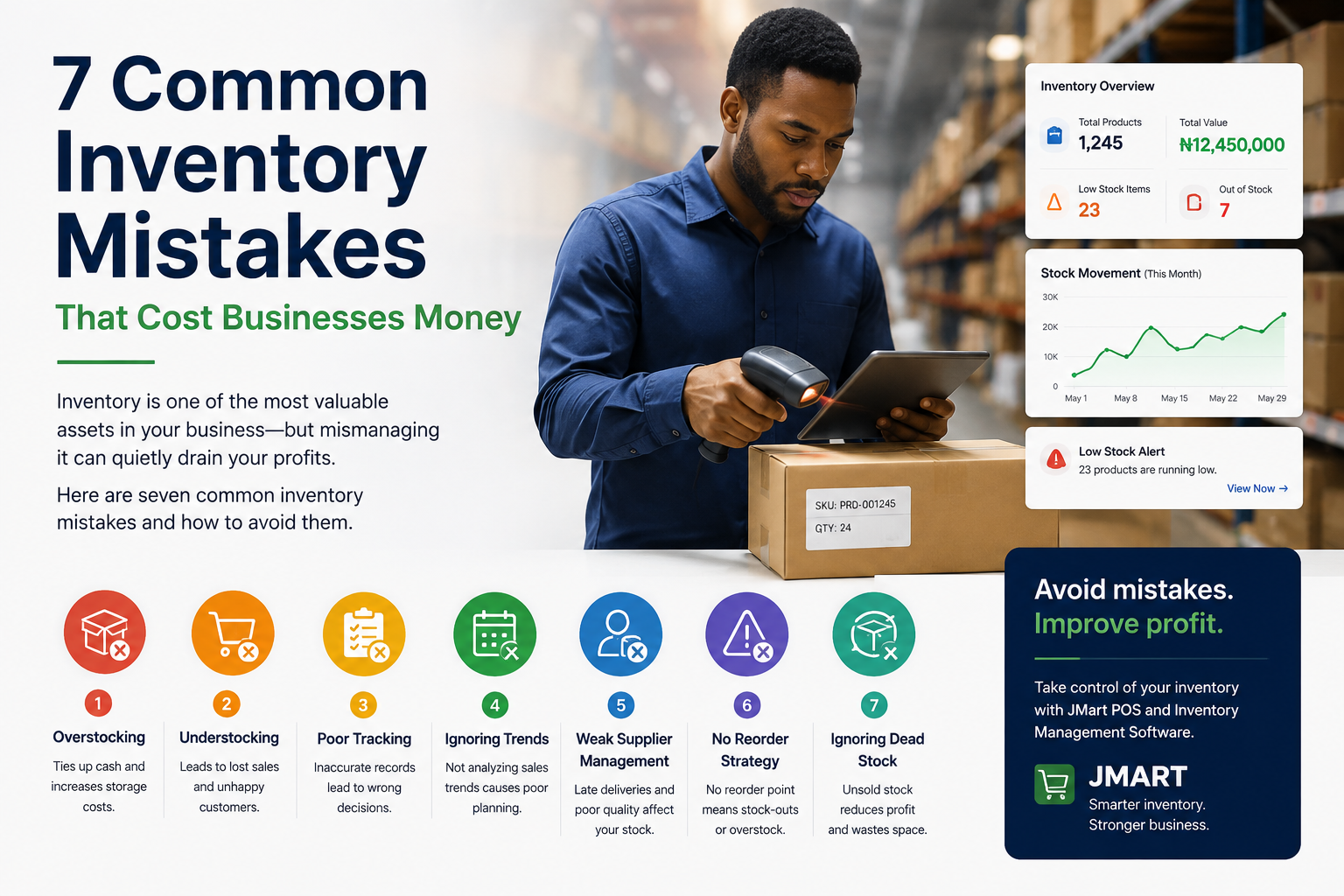
Inventory is one of the most valuable assets in a retail business.
For supermarkets, pharmacies, wholesalers, convenience stores, and other businesses that sell physical products, inventory can represent a significant amount of money sitting on shelves, in warehouses, or in storage.
But here's the problem:
Inventory can make you money—or quietly drain your money.
A business can have strong sales and still lose money because of poor inventory management. Products can expire, disappear, become damaged, sit unsold for months, or run out just when customers want them.
In many cases, the problem isn't that the business owner isn't working hard enough.
The problem is that the business doesn't have a reliable system for knowing what it has, what it is selling, what it needs, and where its money is tied up.
Here are seven common inventory management mistakes businesses make and how to avoid them.
One of the most common inventory mistakes is buying too much stock.
At first, having plenty of products may seem like a good thing.
After all, you don't want customers walking into your store and finding empty shelves.
But excess inventory comes with a cost.
When you purchase products, your money is converted into inventory. Until those products are sold, that money is tied up.
For example, imagine a supermarket spends ₦5 million purchasing products that customers don't buy quickly.
That ₦5 million isn't sitting in the bank anymore. It is sitting on shelves.
If those products move slowly, the business may eventually have to discount them just to get the money back.
Some products can also expire, become damaged, or become outdated.
Businesses should monitor:
Instead of asking, "Can we afford to buy more?", ask:
"How quickly will this inventory turn into revenue?"
That is a much more useful question.
The opposite problem is also dangerous.
A business can have too little inventory.
Imagine a customer walks into your supermarket looking for a popular product.
They ask for it.
You don't have it.
They leave and buy it from your competitor.
One missing product might not seem significant.
But if this happens repeatedly, the business can lose a considerable amount of revenue.
Stock-outs can also damage customer trust.
Customers begin to learn that your store doesn't reliably have what they need.
Eventually, they may stop checking.
You need to know:
What products are approaching their minimum stock level?
A good inventory system can automatically identify low-stock products and alert the appropriate employee.
This allows the business to reorder before the product completely runs out.
Writing inventory numbers in notebooks or maintaining disconnected spreadsheets can work for a very small operation.
But as the business grows, manual records become increasingly difficult to maintain.
Imagine a supermarket selling hundreds or thousands of different products every day.
Every sale changes inventory.
Every supplier delivery changes inventory.
Every damaged product changes inventory.
Every returned product can change inventory.
Every stock adjustment changes inventory.
If these changes aren't recorded accurately, the inventory records quickly become unreliable.
The result can be a situation where the system says:
Stock: 50 units
But the shelf actually contains:
Stock: 37 units
Where did the other 13 go?
Without accurate records, finding the answer becomes difficult.
Automate inventory updates wherever possible.
For example:
Sale → Inventory decreases
Stock received → Inventory increases
Return → Inventory adjusts
Stock adjustment → Inventory records the change
This creates a much more reliable picture of what is happening inside the business.
Not every product sells at the same speed.
Some products may sell dozens of units every day.
Others may sit on a shelf for weeks or months.
The problem is that businesses sometimes treat all inventory equally.
They don't.
A product that sells quickly deserves different attention from a product that hasn't sold in three months.
Slow-moving inventory can tie up capital that could have been used to purchase products customers actually want.
First, identify it.
Then investigate why it isn't selling.
Possible solutions include:
The important thing is to make the decision based on actual sales data rather than guesswork.
Inventory shrinkage occurs when the amount of inventory you actually have is lower than what your records say you should have.
This can happen for several reasons.
For example:
Consider a business whose records say it should have 100 units of a product.
During a physical stock count, the business discovers only 91.
There is a difference of nine units.
If each unit costs ₦10,000, that is ₦90,000 worth of inventory that needs explanation.
This is why regular stock-taking and inventory reconciliation are important.
A good POS and inventory system can maintain records of stock movements and provide an audit trail.
This makes it easier to investigate unusual inventory changes.
Having inventory data is not enough.
You need to use it.
A business may know that it has 3,000 products in stock, but that number alone doesn't tell the owner whether the inventory is healthy.
You also need to understand:
This is where reporting becomes extremely valuable.
Instead of simply looking at inventory quantities, the business can use historical data to make purchasing decisions.
Many businesses reorder products based on intuition.
Someone looks at a shelf and says:
"We should probably order more of this."
That might work sometimes.
But it isn't a reliable inventory strategy.
A better approach is to establish reorder points.
A reorder point is the stock level at which you should begin purchasing more of a product.
For example, if a particular product sells 10 units per day and your supplier typically takes five days to deliver, you need to consider how much stock you'll need to cover that period.
You may also want to maintain safety stock to protect against unexpected increases in demand or supplier delays.
The exact formula will vary depending on the business, but the principle is simple:
Don't wait until you run out before thinking about your next order.
Inventory management isn't simply about counting products.
It is fundamentally about managing money.
Consider the relationship:
Money → Inventory → Sales → Revenue → Profit
When inventory is poorly managed, every part of this chain can be affected.
Too much inventory can tie up capital.
Too little inventory can cause lost sales.
Incorrect inventory records can lead to bad purchasing decisions.
Slow-moving products can reduce cash flow.
Shrinkage can directly reduce profitability.
This is why inventory management should be treated as a core business function—not just an administrative task.
Modern POS software can connect sales and inventory.
When a product is sold, the inventory can automatically be updated.
When new stock arrives, the inventory can be increased.
When products reach their minimum stock level, the system can generate an alert.
When management wants to understand inventory performance, reports can provide the necessary information.
This creates a continuous flow:
Purchase → Inventory → Sale → Inventory Update → Reporting → Better Purchasing Decision
Instead of managing each process separately, the business can manage them as connected activities.
If you're considering inventory management software for your business, look for features such as:
Know approximately how much stock you have without manually checking every shelf.
Get notified when products are approaching their reorder points.
Compare physical inventory with recorded inventory.
Understand when inventory was received, sold, returned, or adjusted.
See how individual products are performing.
Keep track of suppliers and purchasing activity.
Control which employees can make sensitive inventory changes.
See who performed important actions and when.
Automatically connect sales transactions with inventory changes.
These features can turn inventory management from a daily headache into a structured business process.
At Jman Tech, we built JMart with inventory management as one of its core functions.
JMart connects sales and inventory so businesses can keep better track of what is happening to their products.
Businesses can use it to manage product catalogs, monitor stock levels, receive inventory, perform stock-taking, track stock movement, and view business reports.
Because JMart is designed with an offline-first approach, businesses can continue processing sales even when internet connectivity is unavailable, with synchronization taking place when connectivity is restored.
This is particularly useful for businesses operating in environments where internet connectivity isn't always reliable.
You can learn more about JMart POS and Inventory Management Software.
Inventory is money.
Every product sitting on your shelf represents capital that your business has already invested.
The goal isn't simply to have more inventory.
The goal is to have the right inventory, in the right quantity, at the right time.
Avoiding the seven mistakes discussed in this article can help your business reduce unnecessary costs, prevent stock-outs, improve purchasing decisions, and gain better control over its operations.
And as your business grows, relying on memory, notebooks, and disconnected spreadsheets becomes increasingly risky.
The businesses that have the clearest understanding of their inventory are often in a much stronger position to make informed decisions.
Know what you have. Know what is selling. Know what you need. And most importantly, know where your money is going.
That's the foundation of good inventory management.